
• Home
  • News
  • Contact us
  • Support
Tecnica LtdTecnica LtdTecnica LtdTecnica Ltd
  • Managed IT Services
  • Solutions
    • Virtualization
    • Storage Solutions
    • Remote Access
    • VoIP Phone Systems
    • Upgrades and Migration
    • Networking
  • Cloud Services
  • Cyber Security
  • Professional Services
    • IT Consultancy
    • Design and Implementation
    • Web and App Development
    • Service Management (ITSM)
    • SharePoint Development
    • Microsoft Solutions
  • About Us
    • Contact Us
    • Case Studies
    • Our Partners
    • Careers
    • Privacy Policy

How to prevent a Malware Attack

    Home Blog Cyber Security News How to prevent a Malware Attack
    NextPrevious

    How to prevent a Malware Attack

    By Tecnica | Cyber Security News | Comments are Closed | 26 October, 2022 | 0

    Malware takes many forms, including Ransomware, Viruses and Trojans to name a few. Malware is a form of malicious software which can cause critical damage to a PC. But what steps can be taken to prevent a Malware Attack and protect your organisation from the detrimental effects a cyber attack can have.

    How can I fall victim to a Malware Attack?

    Even the most knowledgeable in the Cyber Security field can fall victim to a Malware attack. There is many common approaches criminals take to fool their victims such as:

    Malspam – a malicious email campaign that sends emails to a list of random individuals with infected PDFs, links and files on the off chance someone may open it. When someone opens the email they are bombarded with further emails of the same content and if they were to accidentally open any files in these emails there device would become infected

    Malvertising – a form of adverts that can connect a users computer to an attackers server and distribute an attack with little to no user interaction. Meaning a user can be infected without even clicking on an ad.

    Spear Phishing – more targeted email attack than Malspam. Spear Phishing may create an email stating a CEO wants a user to complete an action such as a survey or open a file. When the user opens the link or file the user’s device is now infected. Social Engineering is a critical factor within this type of attack.

    Potentially Unwanted Programs (PUP) – a form of attack in which the user is fooled into downloading unwanted files. These files attach with legitimate files, so the user unknowingly downloads and installs. Encountered when downloading files from un-trusted sources but there has been instances of PUP attached to software downloaded from Google Play Store.

    Social Engineering – This can take place within all forms of attacks. Attackers can often impersonate FBI agents, co-workers etc to convince an individual to open malicious content. A common route attackers take is to use someones social media presence against them, creating a message that seems legitimate and convincing a user to open it.
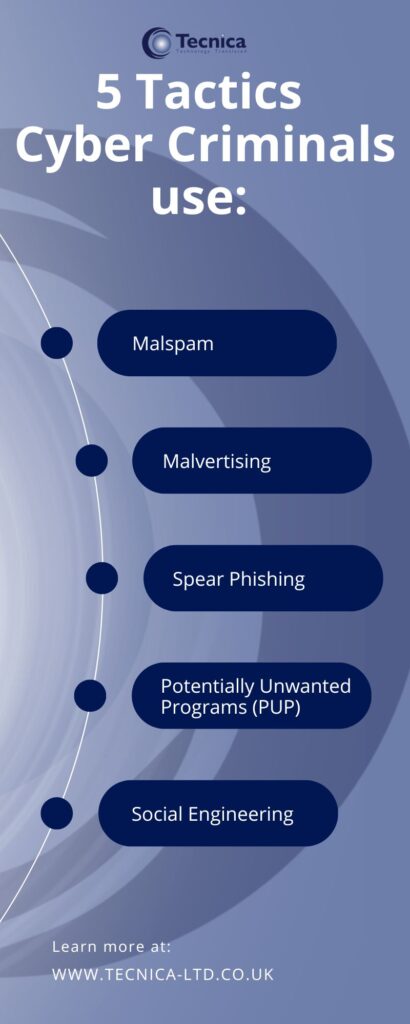
    5 Tactics Cyber Criminals Use - Tecnica, Dunfermline, Scotland

    It is easy to fall victim to these attacks. Cyber Criminals are increasingly developing their attacks to be more sophisticated and more targeted. Falling victim to these attacks can cause great distress, financial loss and reputation deterioration. Organisations can be fined for the loss of data due to a Malware Attack.

    There are many forms of Malware Attacks such as: Viruses, Ransomware, Trojans to name a few.

    How to prevent a Malware Attack:

    There are a few steps you can take to minimize the risk of Malware infection such as: avoiding opening emails or files from unknown contacts, only downloading software from reputable sources and keeping all hardware and software current. It is critical to always be aware of the potential of an incoming Cyber Attack. As Malware attacks are becoming more sophisticated it is increasingly becoming more difficult to avoid falling victim to the scams. Even Cyber Security Experts have been known to fall victim to a scam.

    Once Malware has infected a device it can spread to others. Tecnica offer comprehensive IT Cyber Security Solutions to prepare, protect and prevent from an attack and if a Malware Attack was to take over a device our certified consultants have the expertise to respond to the attack and restore critical files. To discover more contact us today or read more at: IT Security – Scotland, Fife, Edinburgh, Glasgow, Aberdeen, Perth (tecnica-ltd.co.uk)

    No tags.

    NextPrevious

    Useful Links

    • Contact Us
    • News


    Services

    • Managed Services
    • Solutions
    • Cloud Services
    • Cyber Security
    • Professional Services

    Contact Us

    Head Office
    5 Castle Court, Carnegie Campus,
    Dunfermline, Fife,
    KY11 8PB,
    Registered in Scotland SC250307
    Phone Number 01383 722757
    Email Address enquiries@tecnica-ltd.co.uk

    Cookie Policy
    Living Wage Employer
    Copyright 2026 Tecnica Ltd | All Rights Reserved
    • Home
    • Managed IT Services
    • Solutions
      • Virtualization
      • Storage Solutions
      • Remote Access
      • VoIP Phone Systems
      • Upgrades and Migration
      • Networking
    • Cloud Services
    • Cyber Security
    • Professional Services
      • IT Consultancy
      • Design and Implementation
      • Service Management (ITSM)
      • Web and App Development
      • SharePoint Development
    • About Us
      • Contact Us
      • Case Studies
      • Our Partners
      • Privacy Policy
      • Careers
    • News
    Tecnica Ltd
    Manage Consent
    To provide the best experiences, we use technologies like cookies to store and/or access device information. Consenting to these technologies will allow us to process data such as browsing behaviour or unique IDs on this site. Not consenting or withdrawing consent, may adversely affect certain features and functions.
    Functional Always active
    The technical storage or access is strictly necessary for the legitimate purpose of enabling the use of a specific service explicitly requested by the subscriber or user, or for the sole purpose of carrying out the transmission of a communication over an electronic communications network.
    Preferences
    The technical storage or access is necessary for the legitimate purpose of storing preferences that are not requested by the subscriber or user.
    Statistics
    The technical storage or access that is used exclusively for statistical purposes. The technical storage or access that is used exclusively for anonymous statistical purposes. Without a subpoena, voluntary compliance on the part of your Internet Service Provider, or additional records from a third party, information stored or retrieved for this purpose alone cannot usually be used to identify you.
    Marketing
    The technical storage or access is required to create user profiles to send advertising, or to track the user on a website or across several websites for similar marketing purposes.
    • Manage options
    • Manage services
    • Manage {vendor_count} vendors
    • Read more about these purposes
    View preferences
    • {title}
    • {title}
    • {title}